reading Sun tapes
SHARE |
|

|
by Bill Degnan - 09/15/2026 17:05 |
|
if you come upon a Sun tape a modern Linux box may only be able to read the index but fails to recover the actual data. This is due to a mismatch of the file block size and the native format of the ufsdump utility used by Sun.
When a Sun system running SunOS 4.x or early Solaris creates a tape backup, it doesn't use the standard tar format you find on PCs. It uses a specialized utility called dump (or ufsdump). This tool writes raw blocks of data optimized specifically for Sun's UFS file system structure Sun SCSI tape drives (like Exabyte 8mm or Archive Viper 150 QIC drives) default to writing data in 126-block clusters (63,000 bytes) or specific physical block alignments. Modern Linux SCSI drivers expect standard 512-byte or 1024-byte block increments. Ah Ha! So, set your drive attached to a Sun box to address 4 or 5, which is the default tape drive address. /dev/rst0 (rewind tape 0 after running a command) /dev/nrst0 (dont rewind automatically) if you want to skip past the index: mt -f /dev/nrst0 fsf 1 backup a tape: mkdir /export/home/tape_recovery cd /export/home/tape_recovery restore irf /dev/nrst0 (use ufsrestore irf /dev/nrst0 for a newer Sun box) Inside the interactive prompt, you can type ls to see the directories hidden on the tape, add NOTE: You can try this on a linux box to read a Sun tape that can't normally be read: dd if=/dev/nst0 ibs=63k obs=32k | ufsrestore ivf - (assuming nst0. ibs=63k forces Linux to open its buffer wide enough to catch the massive 126-block Sun clusters without crashing the SCSI bus.) Reply |
|
Resources:

Popular Topics and FAQs
Past Issues:
Before we switched over to a blog format, past page archives here:
Vintage Computer Festival East 3.0 June 2006
Commodore B Series Prototypes July 2006
VOLSCAN - The first desktop computer with a GUI? Oct 2006
ROBOTS! - Will Robots Take Over? Nov 2006
Magnavox Mystery - a Computer, or? Jan 2007
The 1973 Williams Paddle Ball Arcade Computer Game Feb 2007
The Sperry UNIVAC 1219 Military Computer May 2007
VCF East 2007 - PET 30th Anniversary June/July 2007
The Electronic Brain August 2007
Community Memory and The People's Computer Company October 2007
Charles Babbage's Calculating Machine December 2007
Vintage Computing - A 1983 Perspective February 2008
Laptops and Portables May 2008
From Giant Brains to Hobby Computers - 1957 to 1977 August 2008
Historic Computer Magazines November 2008
World's Smallest Electronic Brain - Simon (1950) December 2008 - Feb 2009
Free Program Listings Spring 2009
Computer Music Summer 2009
Popular Electronics Jan/Feb 1975 - Altair 8800 Fall 2009
Early Microcomputer Mass Storage Summer 2010
PB1 EPROM 2708
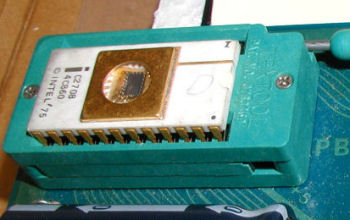
This image was selected at random from the archive. Click image for more photos and files from this set.